Host Environment Setting
Prepare Ubuntu computer
Ubuntu 22.04.4 LTS (Jammy Jellyfish) is recommended.
You can also use Ubuntu virtual machine.
Create workspace
Create and enter the nvidia workspace folder
$ mkdir <nvidia_folder> && cd <nvidia_folder>
Download the TN-JetPack using the download script
Get the download script
-
Go to TechNexion Jetson JetPack script github
Selecttn_l4t-r36.4.ga_kernel-5.15branch.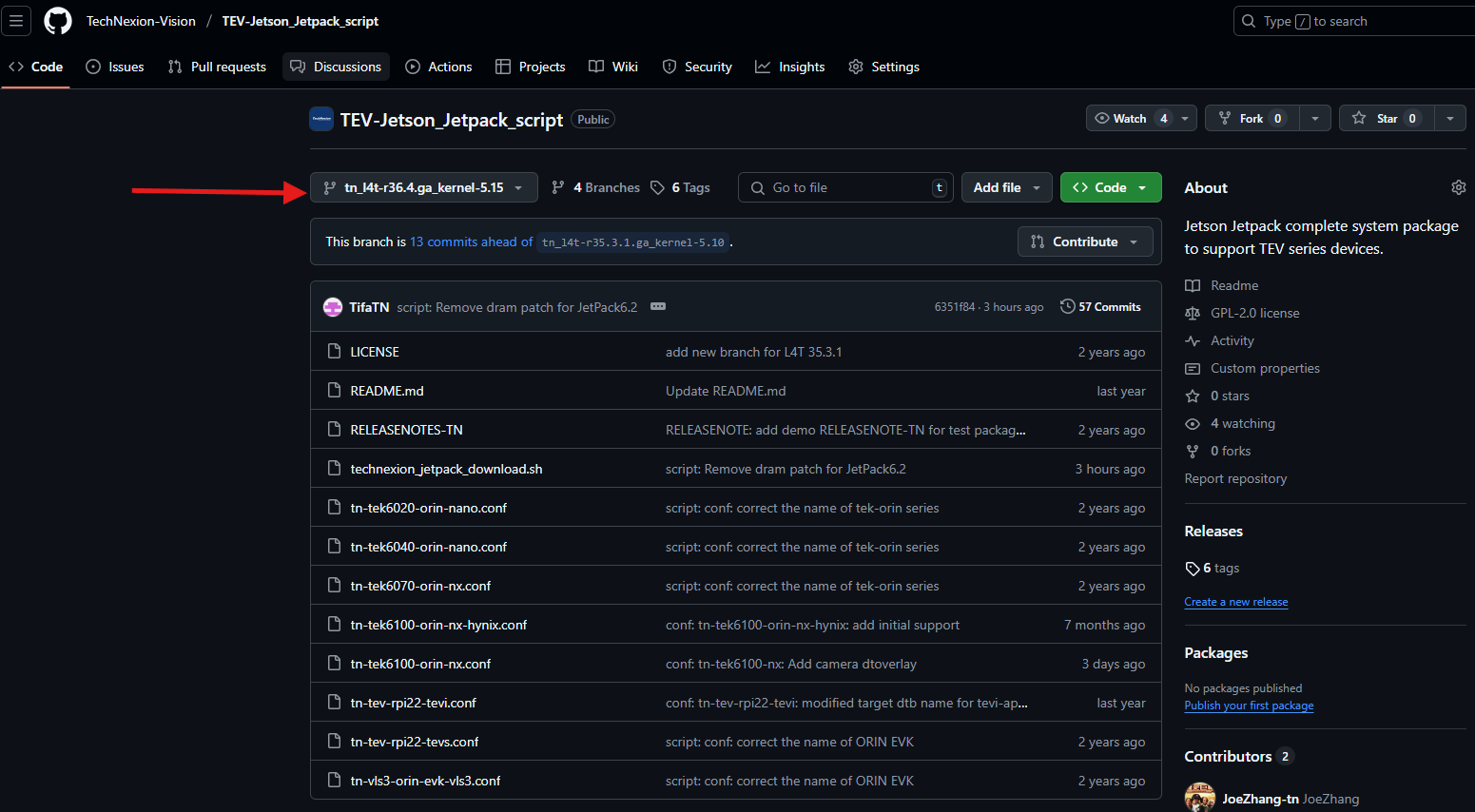
-
Click the '< > Code' button
-2d709b7fa4fc28cb39852ee754ea67ca.png)
-
Copy the URL of HTTPS Or using SSH if match the requirement.
-
Using git command to download the script and named 'download_script'
$ git clone <URL> -b tn_l4t-r36.4.ga_kernel-5.15 download_script
Cloning into 'download_script'...
remote: Enumerating objects: 186, done.
remote: Counting objects: 100% (101/101), done.
remote: Compressing objects: 100% (64/64), done.
remote: Total 186 (delta 63), reused 71 (delta 37), pack-reused 85
Receiving objects: 100% (186/186), 49.06 KiB | 1.63 MiB/s, done.
Resolving deltas: 100% (107/107), done.
Run the download script
-
Make sure you are on the correct branch
$ git branch
* tn_l4t-r36.4.ga_kernel-5.15 -
copy the script and board conf to nvidia workspace folder (current folder)
$ pwd
<nvidia_folder>
$ cp -rv download_script/technexion_jetpack_download.sh ./
$ cp -rv download_script/*.conf ./ -
Run script and wait for complete
You must enter the required option to make it start../technexion_jetpack_download.sh
download the Technexion JetPack -b <baseboard>
-b: baseboard <TEK6040-ORIN-NANO/ TEK6100-ORIN-NX>
Jetson Orin series:
TEK6040-ORIN-NANO| TEK6100-ORIN-NX
-t: tag for sync code <>
--qspi-only: do not create/flash rootfs, for QSPI image onlyexample$ ./technexion_jetpack_download.sh -b TEK6100-ORIN-NXYou can set and switch to certain tag using
-t <tag name>Tag charttag name tag description r36.4.ga TechNexion SW with JetPack 6.2.0 Nvidia L4T 36.4.3 example:
$ ./technexion_jetpack_download.sh -b TEK6100-ORIN-NX -t r36.4.ga
Once it is done, this folder will contain:
- TechNexion camera source code
- Device-tree of TechNexion product
- Modified NVIDIA kernel
- Bootable system image that ready to be deployed into device.
system image must be the default storage type.
TEK-ORIN series: NVMe
ORIN-EVK series: SD
Troubleshooting
- You might need to enter the sudo password twice if the script takes too much time.
- Script will exit if it gets any error, and you will see the error description on console.